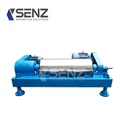

Hey there! As a supplier specializing in Centrifuge Maintenance, I've seen firsthand how crucial a well - maintained touch - screen interface is for a centrifuge. In today's blog, I'm gonna share some practical tips on how to keep that touch - screen in top - notch condition.
Why is Maintaining the Touch - Screen Interface Important?
First off, let's talk about why maintaining the centrifuge's touch - screen interface matters. The touch - screen is the control center of the centrifuge. It allows operators to set parameters like speed, time, and temperature. A malfunctioning touch - screen can lead to inaccurate settings, which may affect the centrifuge's performance and even damage the samples being processed. Moreover, a damaged touch - screen can cause downtime, which is costly in a busy laboratory or industrial setting.
Regular Cleaning
One of the simplest yet most effective ways to maintain the touch - screen interface is regular cleaning. Over time, dirt, dust, fingerprints, and other contaminants can accumulate on the screen, which can interfere with its sensitivity and visibility.
- Choose the Right Cleaning Solution: Don't just grab any old cleaning agent. Use a solution specifically designed for electronic screens. Avoid using abrasive cleaners, alcohol - based solutions in large amounts, or ammonia - based products, as they can damage the screen's protective coating. A mild soap and water solution can be a good alternative. Mix a small amount of mild dish soap with distilled water in a spray bottle.
- Proper Cleaning Technique: First, turn off the centrifuge and unplug it from the power source to avoid any electrical hazards. Then, lightly spray the cleaning solution onto a microfiber cloth, not directly onto the screen. Gently wipe the screen in a circular motion, starting from the center and working your way out. Make sure to clean all the edges and corners. After that, use a dry microfiber cloth to remove any remaining moisture.
Protect from Physical Damage
Centrifuges are often used in busy environments where there's a risk of physical damage to the touch - screen. Here are some ways to protect it:
- Use a Screen Protector: Screen protectors are a cheap and easy way to add an extra layer of protection. They can prevent scratches, smudges, and some minor impacts. Make sure to choose a high - quality screen protector that's compatible with the centrifuge's touch - screen.
- Avoid Sharp Objects: Remind operators not to use sharp objects, like pens or pencils, to interact with the touch - screen. These can scratch the surface and cause permanent damage. Always use a soft stylus or clean fingers when operating the screen.
- Proper Installation and Placement: Ensure that the centrifuge is installed in a stable location away from areas where it might be bumped or knocked over. Avoid installing it near equipment that generates a lot of vibration, as excessive vibration can also damage the touch - screen over time.
Software Updates
Just like your smartphone, the centrifuge's touch - screen interface relies on software to function properly. Regular software updates are essential for maintaining its performance and security.


- Stay Informed: Keep an eye on the manufacturer's website or subscribe to their newsletters to stay informed about the latest software updates. The manufacturer usually releases updates to fix bugs, improve functionality, and enhance security.
- Follow the Update Procedures: When an update is available, follow the manufacturer's instructions carefully. In some cases, you may need to connect the centrifuge to a computer via a USB cable or use a network connection to download and install the update. It's important not to interrupt the update process, as this can cause the touch - screen interface to malfunction.
Calibration
Over time, the touch - screen may lose its accuracy, which means that the points you touch on the screen may not correspond accurately to the actions being performed. Calibration is the process of adjusting the touch - screen to ensure accurate touch response.
- Calibrate Regularly: Check the manufacturer's recommendations for how often to calibrate the touch - screen. In general, it's a good idea to calibrate it monthly or whenever you notice that the touch response is inaccurate.
- Follow the Calibration Process: The calibration process usually involves touching a series of points on the screen as prompted by the system. Make sure to use a clean finger or a stylus and follow the instructions carefully. If you're unsure how to calibrate the touch - screen, refer to the centrifuge's user manual or contact the manufacturer's technical support.
Troubleshooting Common Issues
Even with proper maintenance, you may encounter some common issues with the touch - screen interface. Here are some troubleshooting tips:
- Unresponsive Screen: If the touch - screen is unresponsive, first check the power supply. Make sure the centrifuge is properly plugged in and turned on. You can also try restarting the centrifuge. If the problem persists, there may be a software issue or a hardware malfunction. In this case, contact a professional Centrifuge Maintenance service.
- Flickering Screen: A flickering screen can be caused by a loose connection, a problem with the power supply, or a software issue. Check all the cables and connections to make sure they're secure. If the problem continues, try updating the software or consult a technician.
- Ghost Touch: Ghost touch is when the screen registers touches even when nothing is touching it. This can be due to a software glitch or a problem with the touch - screen controller. Try restarting the centrifuge and calibrating the touch - screen. If the problem persists, it may be necessary to replace the touch - screen controller.
Complementary Equipment Maintenance
When we talk about centrifuge maintenance, it's also important to consider the other equipment that works in tandem with it. For example, Flocculant Auto Dosing System and Screw Conveyor are often used in conjunction with centrifuges.
Proper maintenance of these complementary equipments not only ensures their own performance but also indirectly affects the centrifuge's operation. For instance, a well - maintained flocculant auto - dosing system can provide the right amount of flocculant at the right time, which helps the centrifuge operate more efficiently. Similarly, a properly maintained screw conveyor can smoothly transport materials to and from the centrifuge, reducing the risk of blockages and other issues.
Final Thoughts and Call to Action
Maintaining the centrifuge's touch - screen interface is not rocket science, but it does require some attention and effort. By following the tips in this blog, you can extend the lifespan of the touch - screen, improve the centrifuge's performance, and avoid costly downtime.
If you're facing any challenges with centrifuge maintenance or need further advice, don't hesitate to reach out. We're here to help you keep your centrifuge running smoothly. Whether you're looking for maintenance services, replacement parts, or just some friendly advice, we're your go - to experts. Let's start a conversation and explore how we can meet your centrifuge maintenance needs.
References
- Centrifuge User Manuals
- Manufacturer's Technical Documentation
- Industry Best Practices for Electronic Device Maintenance